Import any song — AI identifies and splits drum parts automatically. Turn the rhythm in your head into a sequencer pattern in seconds.
Three workflows, one app. From any song to a playable drum pattern — then drill it until it grooves.
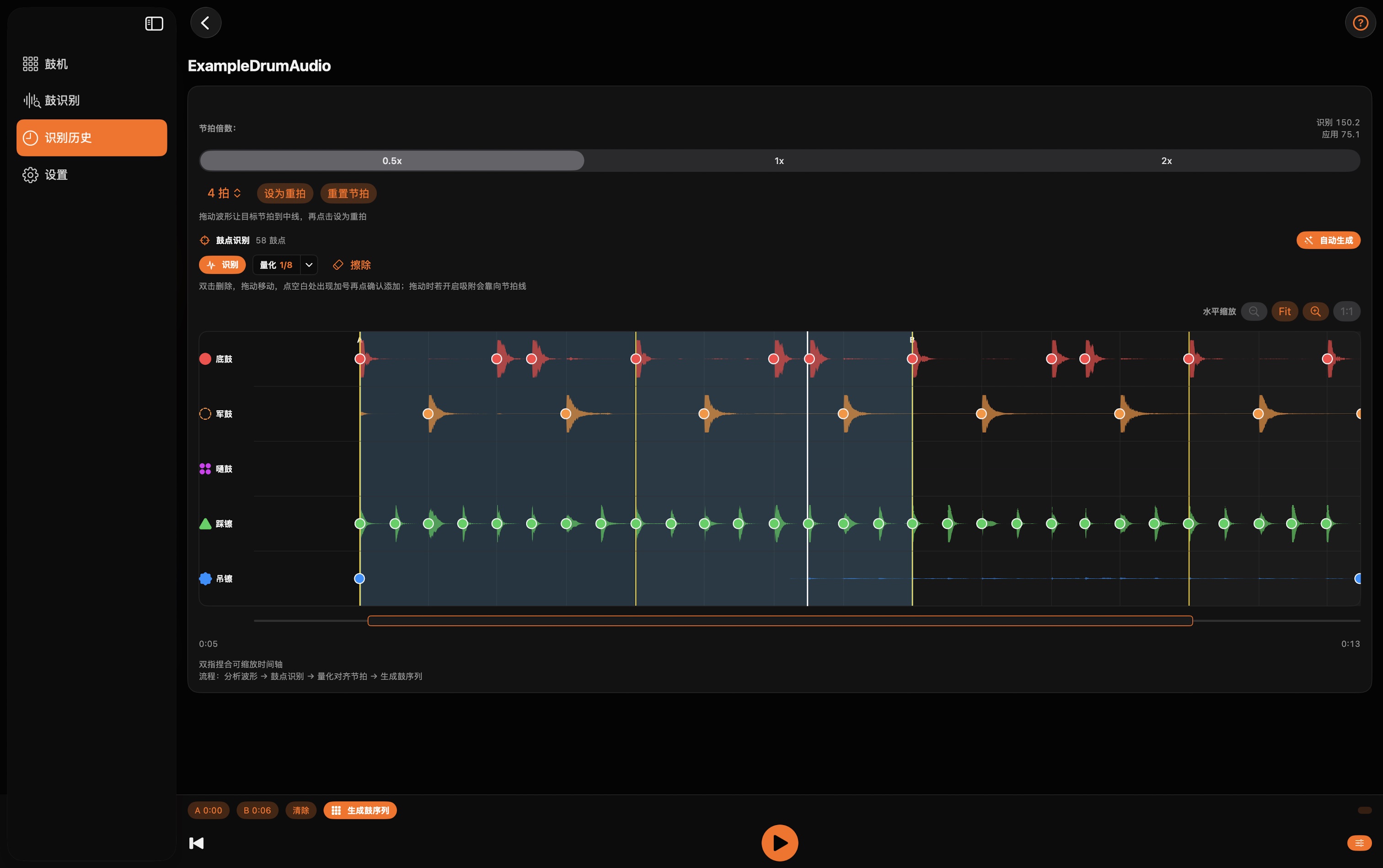
Import audio from Files, Music library, Photos, or record live. AI separates drums into Kick, Snare, Toms, Hi-Hat, and Cymbals — on-device, private by design.
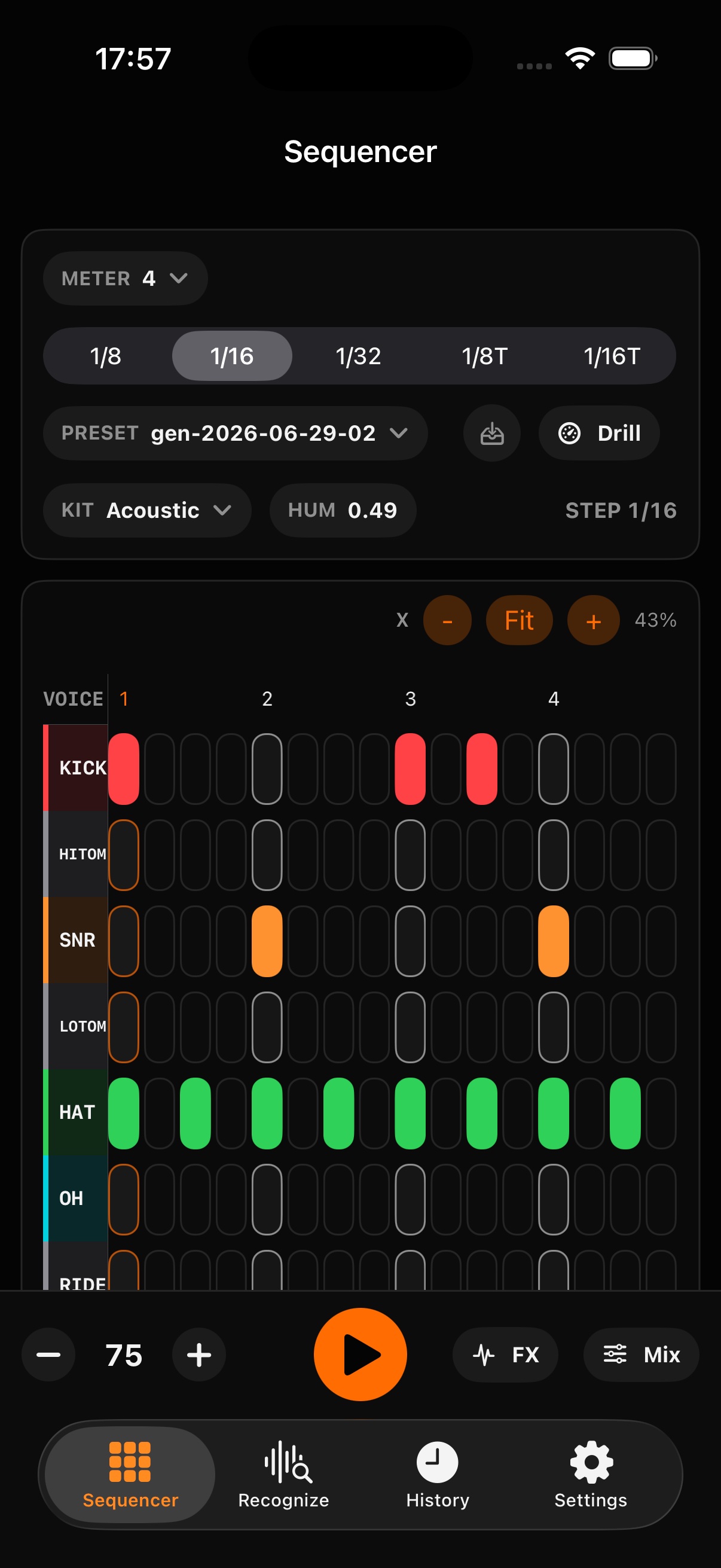
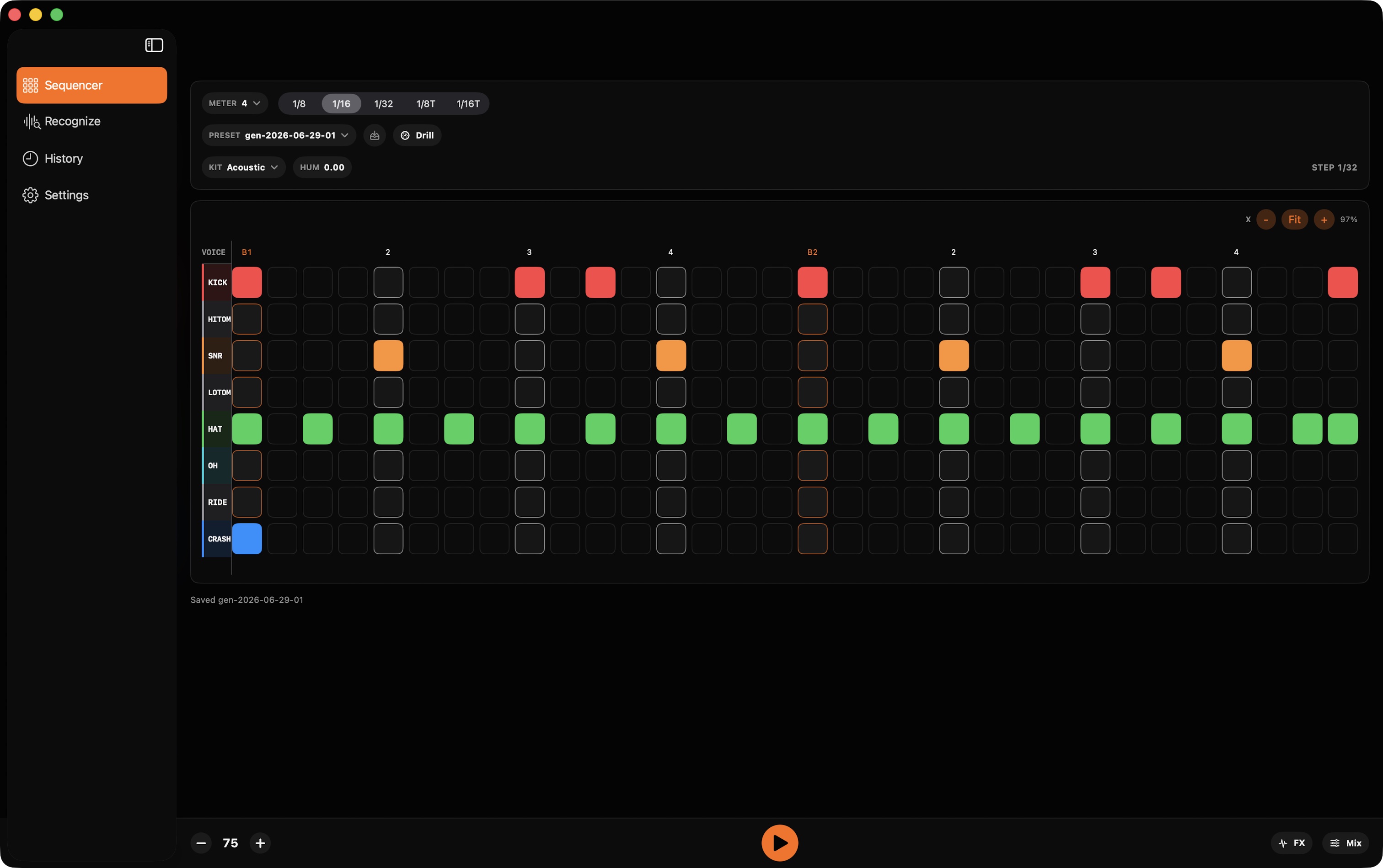
16/32-step pattern editor with 24 pro kits. Per-voice mixer (level/pan/filter/tune/decay), master FX chain, humanize, and groove styles. Built for speed.
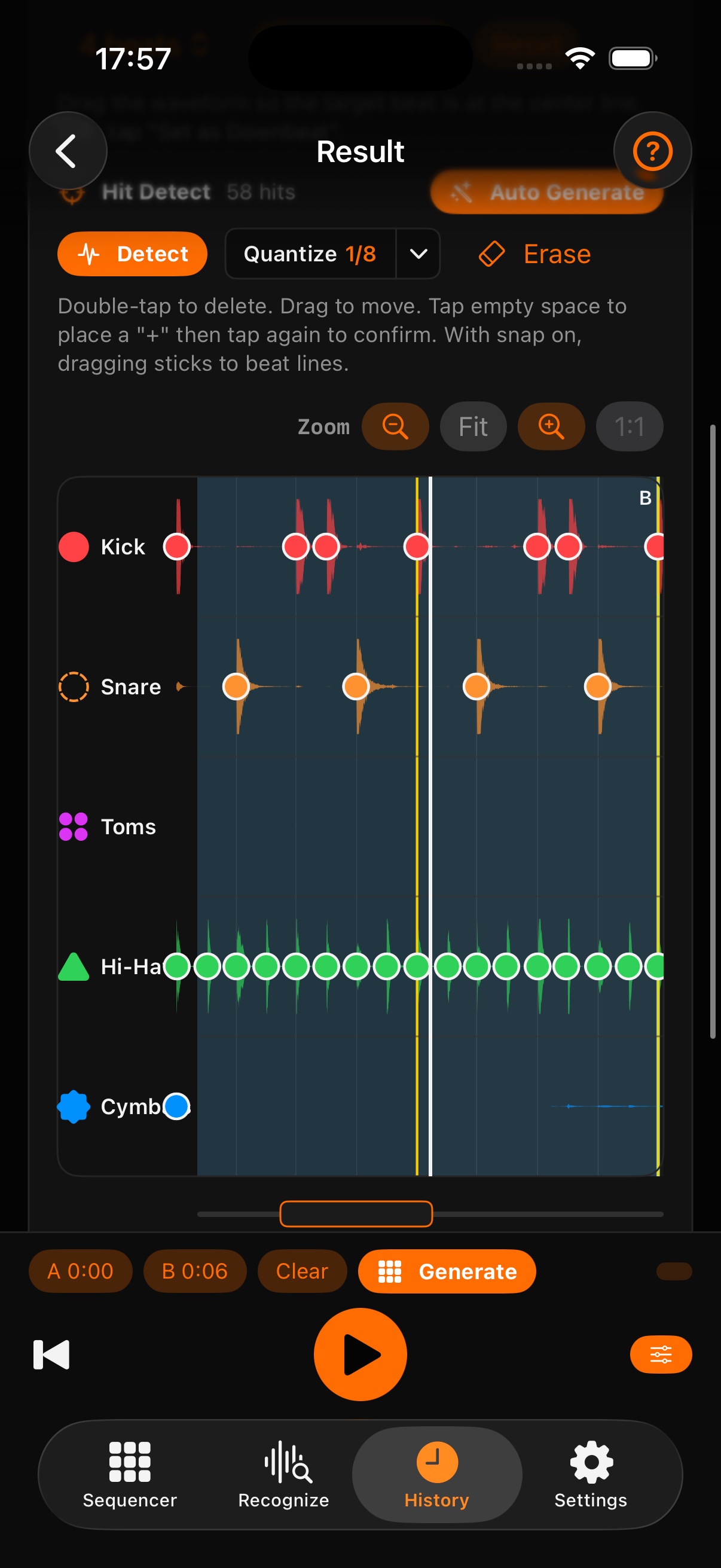
After AI recognition, tap Generate to auto-detect BPM, hits, and downbeats. The sequencer loads a quantized, editable pattern — ready to play or tweak.
Build multi-speed drills: start slow, finish fast. Set AB loops, count-in, and let the app gradually push your limits. Track your progress every session.
AI separates drums, generates patterns, and fuels your practice — all on one screen.
From import to practice, just seconds.
Import from Music library, Files, Photos, or record live audio. Any genre, any tempo.
On-device AI separates drums into 5 stems. View waveforms, play individual parts, hear every hit.
Generate a sequencer pattern, tweak it with 24 kits and FX, then use TempoDrill to master it.
Not another drum machine. A complete listen-create-practice ecosystem.
All AI processing runs on-device via CoreML. Your audio never leaves your device. Practice with confidence.
Every feature feeds into the sequencer. Recognize a drum pattern, generate a preset, load it in the drum machine, and start drilling. Zero friction.
Beginners learn by deconstructing songs. Pros extract and practice complex fills. Teachers create custom drills for students. Everyone grows.
Download free, use forever. No account needed - just open and play.
Install at no cost and start playing in seconds.
No account, no email. Open the app and play.
Yours to keep. The app never expires.
Free to download · No registration · Use forever
Everything you need to know about Drum AI.
Drum AI uses a two-stage on-device AI pipeline: a Demucs-based model for broad drum extraction, followed by a custom LarsNet model that refines and parses individual drum hits. In real-world tests, it delivers excellent results on pop, rock, and electronic tracks. Kick and snare detection is especially precise. Dense studio mixes with heavy processing may show minor variations.
No. All AI processing runs on-device via CoreML — no internet required. Your audio never leaves your device, and you can use Drum AI in Airplane Mode.
Free tier gives you 3 drum separations and 2 sequence generations per week, 3 history entries, 3 user presets, and 1 tempo drill with up to 3 sections. Pro unlocks unlimited usage of all features, plus MIDI export, full mix export with effects, drum track recording, and WAV/AAC export formats.
Drum AI supports iPhone, iPad, and Mac with Apple Silicon (M1 and later). iPhone 12 or newer is recommended for the best processing speed. Older devices may take longer for AI analysis.
Yes. Drum AI supports MIDI file export (compatible with any DAW) and audio export in MP3, AAC, and WAV formats. You can share patterns with friends via text codec and import theirs too.
Audio: MP3, M4A, AIFF, WAV, FLAC, AAC. Video: MP4, MOV, M4V. Import from Files app, Music library, Photos library, or record directly in the app.
Download Drum AI for free and start turning songs into practice today.
Download on the App StoreFree to use · No registration · AI on-device